In today's digital age, coding is becoming just as important as reading and math. But how do you get kids excited about programming without making it feel like another homework assignment? The key is to make coding playful, hands-on, and pressure-free.
So read on to learn about beginning coding and a fun coding platform for kids!

Here are some fun ways to introduce kids to coding—without overwhelming them or you.
You don’t need a screen to teach the basics of coding.
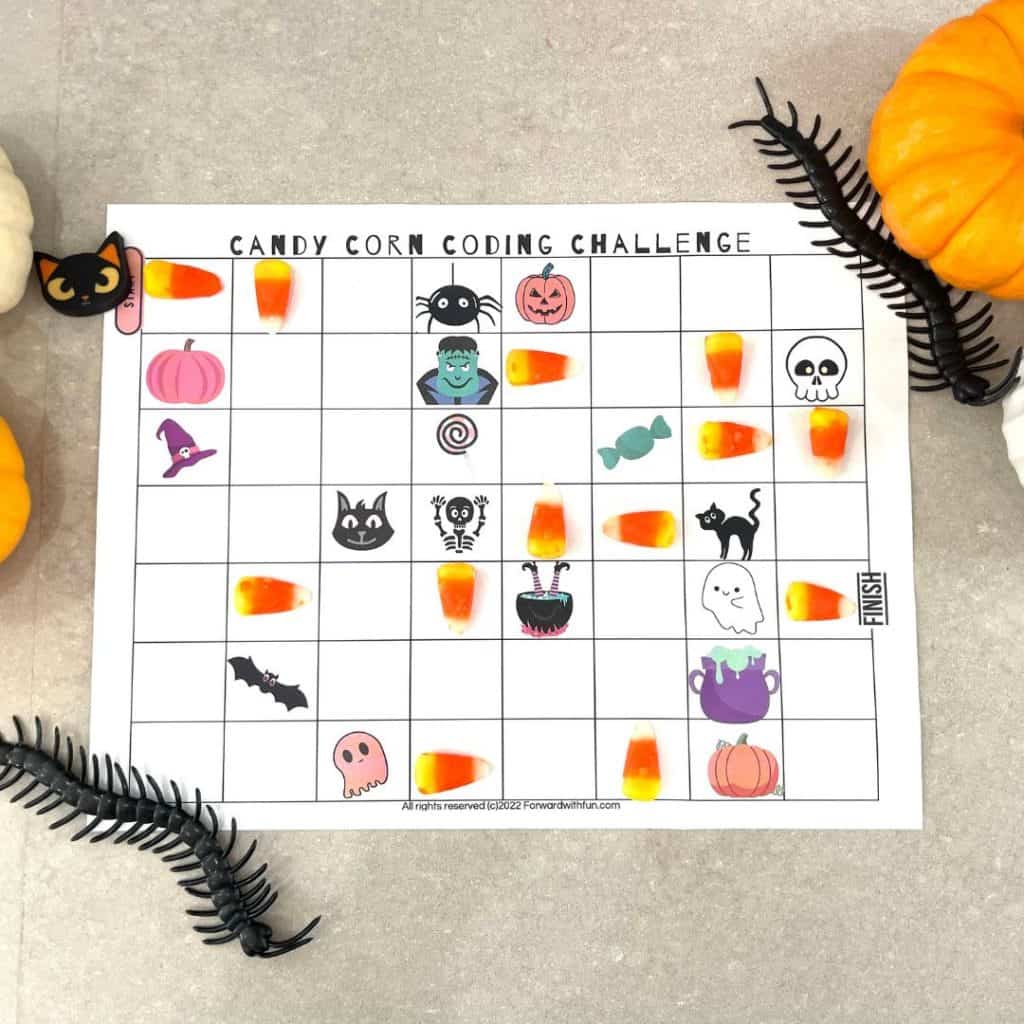
My favorite example of unplugged coding is Directional Coding with Candy Corn. Directional coding is easy for young children to understand; use the directions of up, down, left, and right to write out how something will move.
Here are a few simple unplugged coding activities you can try at home or in the classroom:
These fun, screen-free activities help kids internalize coding logic in a hands-on, physical way—perfect for active learners or younger children who aren't ready for digital tools yet.
Children love stories and games, so why not use them as an entry point into coding? Platforms like CodeMonkey turn coding into an adventure, allowing kids to solve puzzles and complete challenges as they progress through different levels. It's a fun coding platform for kids that combines gameplay with real coding concepts. They have very beginning levels for kindergarten aged kids and they can level up to advanced techniques into high school.
My secret: Though I run a blog, I am LOST when it comes to text-based coding. I wouldn't even know how to begin teaching it to my kids, though I really want them to know how to code. Because of CodeMonkey, I don't have to teach it! (But honestly, maybe I should start playing because I do spend a fair amount of money each year on coders to fix issues on my site!)
Check out this video to see how engaging and approachable learning to code can be:
If you’ve never done any coding before, don’t worry—you’re not alone! Coding is really just a way of giving instructions to a computer, and there are many different ways to do it. Here are a few common types you might see in kids’ coding programs:
This is one of the simplest ways to start coding. Kids give a character or object basic movement commands like "move forward," "turn left," or "go backward." It teaches sequencing (doing things in the right order) and logical thinking. Think of it like giving directions to a robot!
Instead of typing code, kids connect blocks of code that represent actions or commands. Each block has a specific function, like playing a sound or repeating an action. This helps children learn the structure of coding without needing to type or memorize anything. This is taught to beginning coders via CodeMonkey!
As kids get more confident, they can start writing real code using languages like Python or CoffeeScript (also taught by CodeMonkey). It’s a bit like learning a new language—kids type out commands to make things happen.
By introducing coding as a creative, playful activity, you can help kids build confidence in this ever-growing and much needed skill. The key is to include their interests and let them direct!
Ready to get started? Let play lead the way! Looking for more STEM activities? Check out our most viral post The Floor is Lava STEM Challenge, downloaded 5,000+ times.

If you think about it, the apps and websites our kids visit today all run on code. And as we strive for a technological future, teaching coding to young children is essential. But knowing how complex it is to code, how can you make it accessible and easy to learn for them? This blog will provide you with simple strategies that you can employ to ensure a smooth learning experience. Let’s get started!
Written by guest blogger, Kat Sarmiento.
Coding, or computer programming, is the process of writing instructions for your computer to follow. It works similarly to how we communicate with a person using a particular language. Coders use programming languages like Java or Python to translate their ideas into words so that computers will understand. Without coding, any software, apps, or website won't work.
But what's in it for kids?
Coding offers numerous benefits for kids, from acquiring valuable soft skills to getting better career opportunities in the future.
The only way for young children to learn coding is by building their interest in it and showing them how it's relevant to their current interests.
You might want to start talking about the online or computer games they love, and how the games work because of coders! By learning to code, kids can develop computer and video games on their own.

Given the many options for coding classes for kids, learning to code shouldn't be overwhelming.
Through a technique called scaffolding, classes for coding will go step by step, breaking down the complex topic into smaller and more manageable pieces.
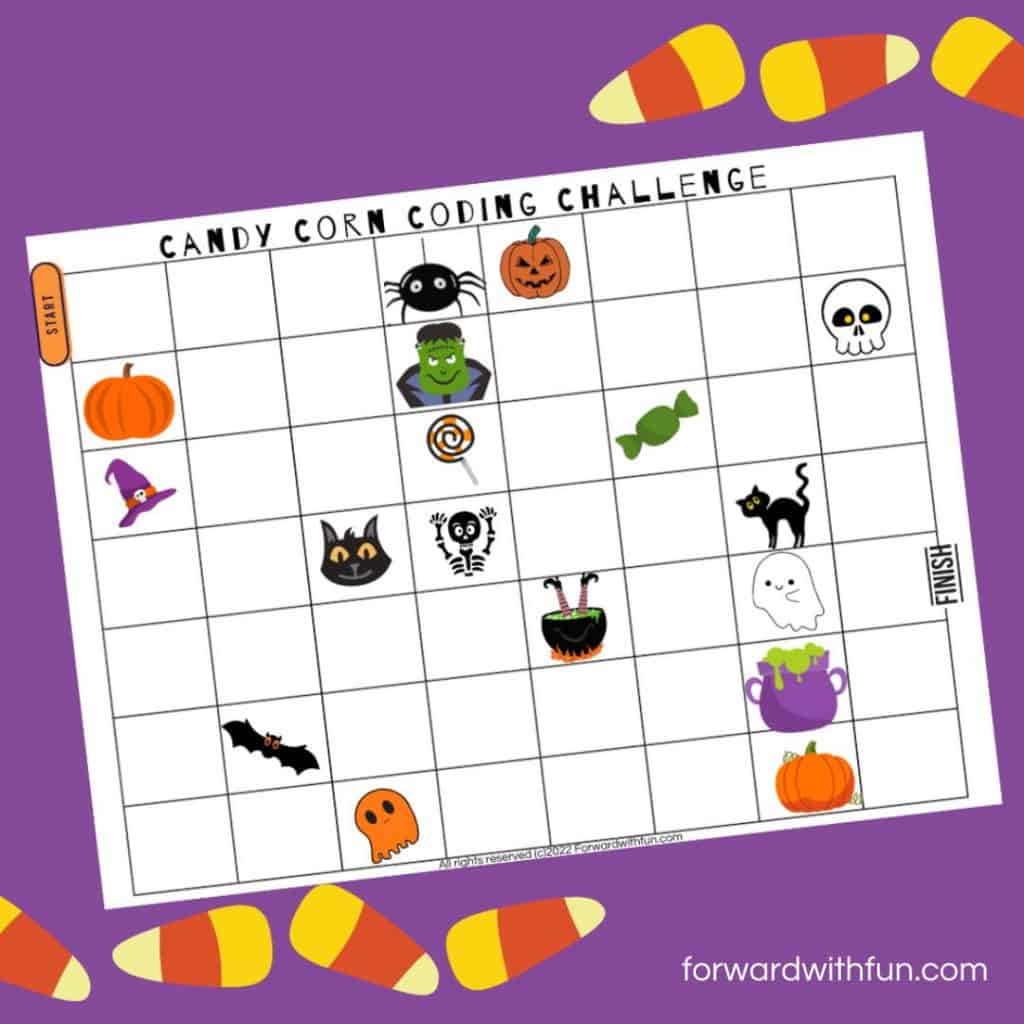
For the youngest children, focus solely on directional coding as it's the easiest to understand. Basically, all they'll need to know is up, down, left, and right. Here's a screen-free coding activity that can be done with preschoolers. It breaks down things in really simple terms.
When teaching programming languages, it's better to focus on one language at a time. For instance, if they want to create games, use JavaScript. On the other hand, if they want to create websites, HTML is the most ideal.
As you know, each student learns at a different speed. Thus, you must employ self-paced learning when teaching coding to kids. It would help them understand the ins and out of coding and its topics without feeling rushed or overwhelmed.
Also, have them make their own decisions, especially creative ones. Let them explore some things they want to do in the programs they build. If they see the direct impact on every decision they make, they're more likely to be more engaged with the subject.
There are various platforms available online when it comes to coding. For young kids, you might want to start with MIT's Scratch. While it may not be a programming language, it's a tool that teaches coding concepts to build critical thinking, logic, and computational skills. Scratch has various computer courses and programming tools kids can use while having fun. It's the perfect tool for beginners and kids who can't type well. Once they've outgrown the basics, you can then introduce programming languages, starting with Python, which is considered to be the easiest.
While coding can be complex, you can break it down into byte-sized (hehe) pieces when teaching it to children. Use the strategies above to make it easier for young learners to learn. In the future, they can use the skills and lessons they've learned to build new software that will shape our world.
Visit us to learn more about how you can make learning fun.
Teach coding in kindergarten with this free to print candy corn stem challenge. It’s so simple, you can do this with your whole class- all you need is a bag of candy corn! Let’s go.
Before you print, you’ll need to understand how to teach coding in kindergarten and why on earth we’re going to use candy corn to do it. So read on.
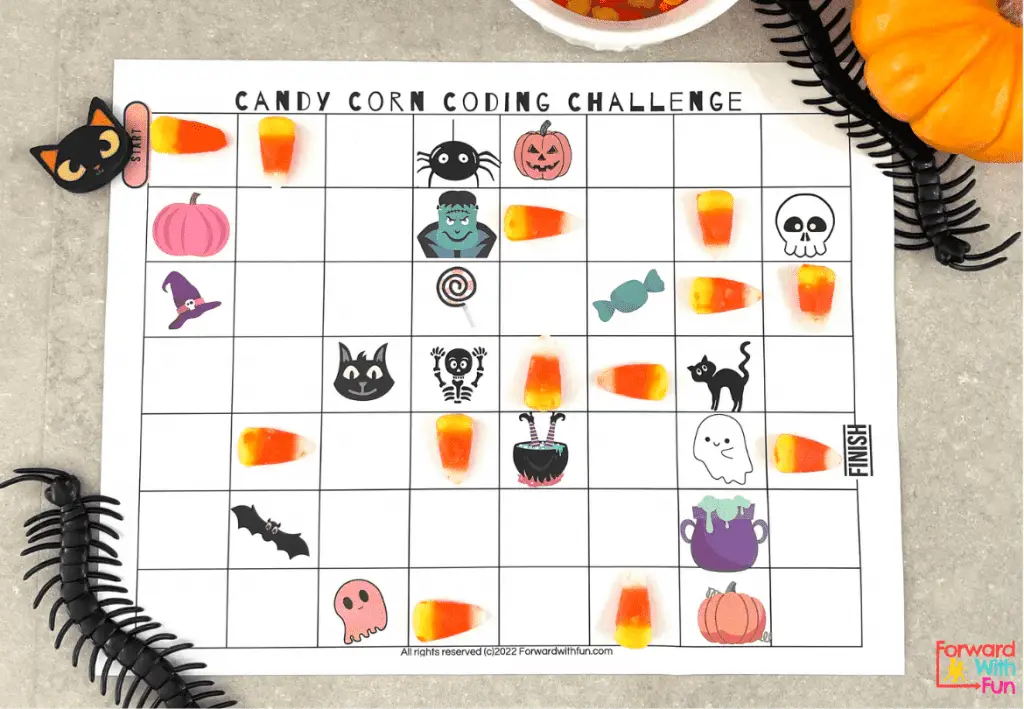
Can a 5 year old learn coding? Of course they can! Most of the coding we teach in kindergarten is called directional coding as opposed to block coding.
Directional coding is coding that is giving directions very simply, usually through a series of arrows. This can be done on the computer or in an unplugged coding activity, such as this one.
In this hands-on candy corn STEM challenge, kids will be using the candy corn as arrows as they practice directional coding to get from start to finish. Then they’ll test out their code, to see if it works!
Coding may not be part of the learning standards now, but I know it will be! The world is shifting to be more and more technologically centered, and many future jobs or even hobbies may rely on the ability to code.
When we start coding in kindergarten, we build these future skills that children will need. It's like learning a language; the earlier you begin, the more fluent you will be.
Unplugged coding activities are done without a computer, so many kids can participate at once, building skills they'll need on computers.
The most typical mistake I see when I am teaching directional coding to kindergartners is the addition of redundant codes. When you are coding, if your arrow points down, you will not need another arrow until you want to change directions.
You should never have two arrows in a row that are pointing the same way.
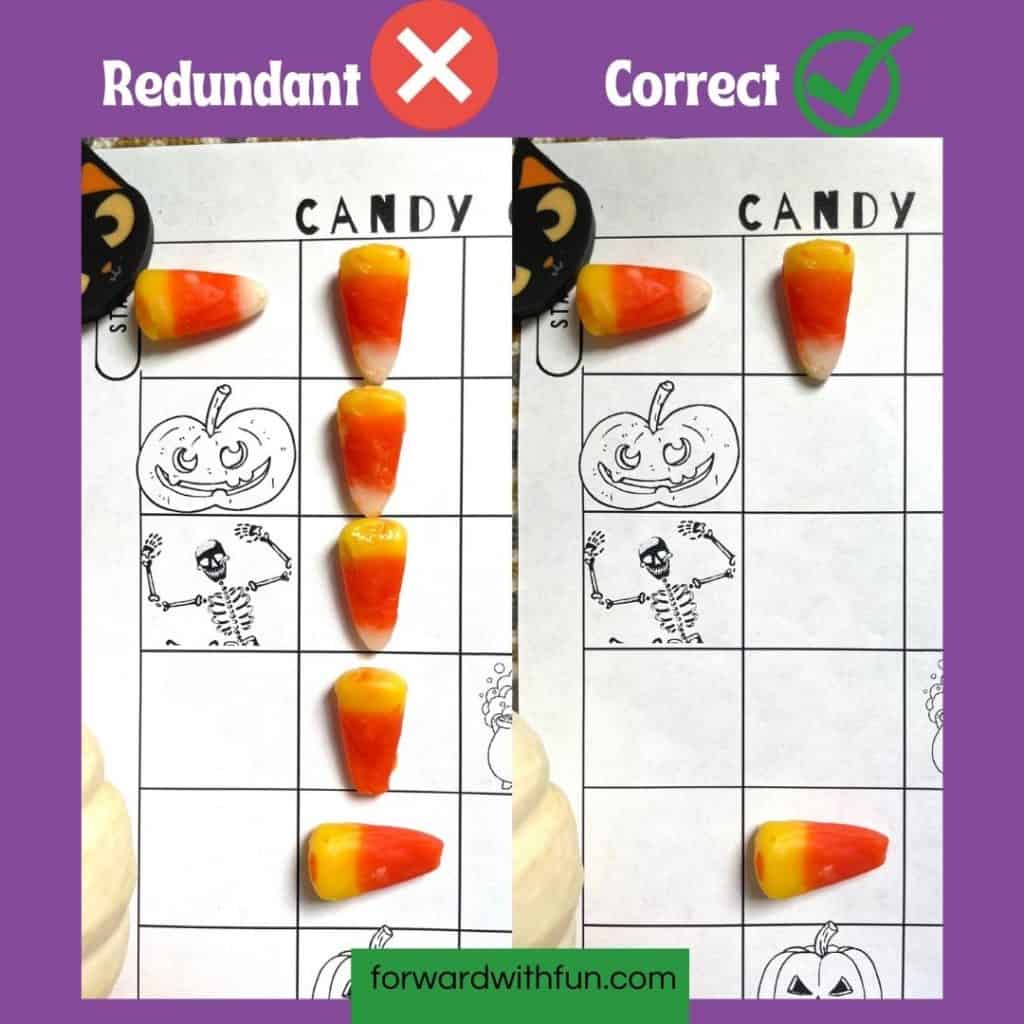
Directional coding is about using basic arrows to direct your token item where to go. Only use an arrow when you are changing directions.
The only directions for our candy corn to point are:
Remember: there is no diagonal pointing here!
Objective:
Code a path from start to finish, using candy corn. Test out the candy corn code by following it with a token of choice.
Directions:
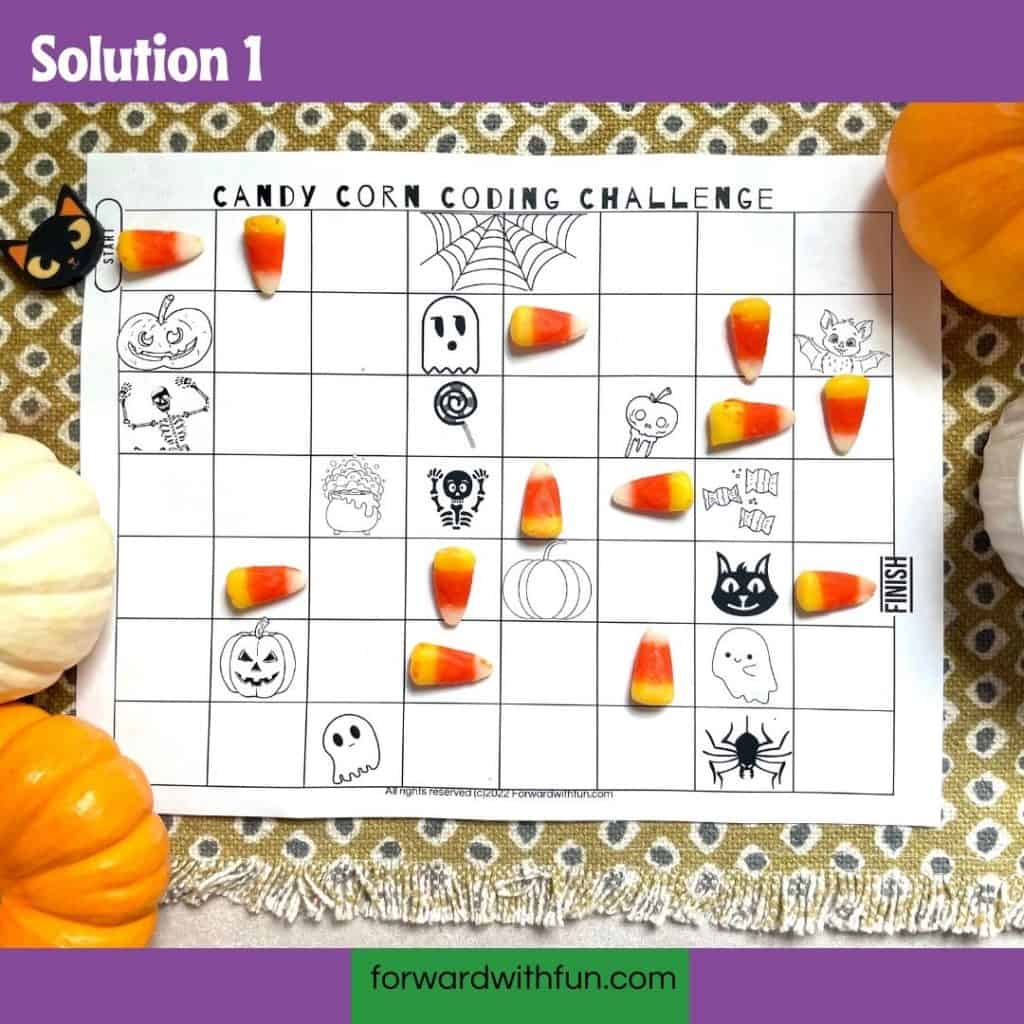
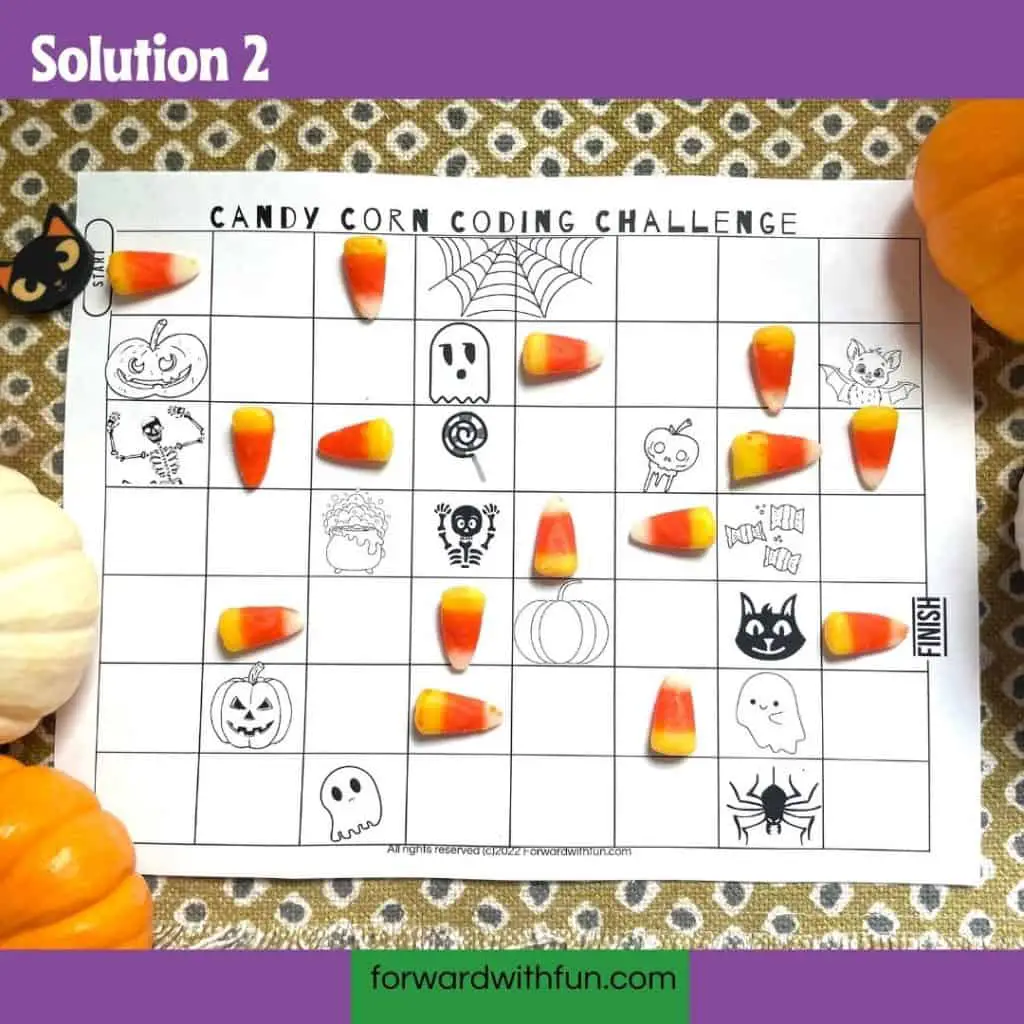
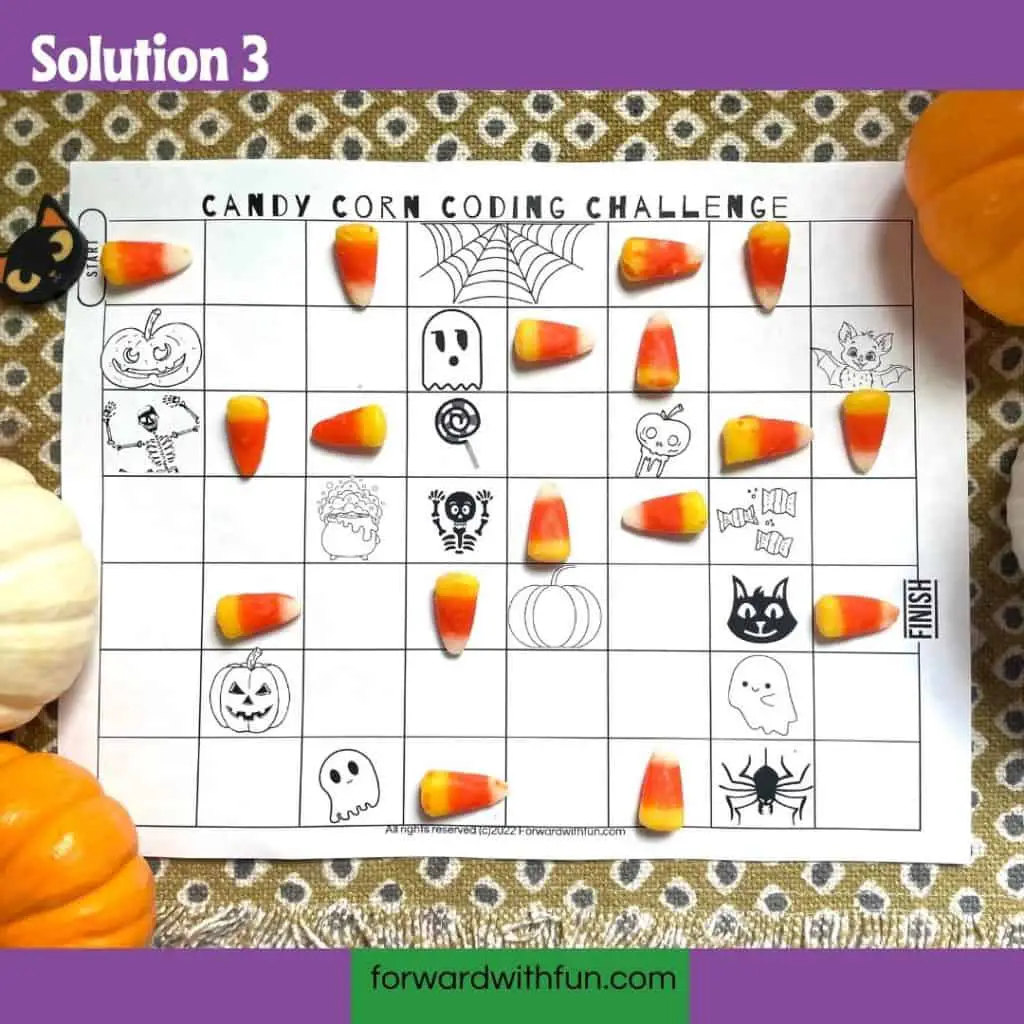
Answer key/code:
There is more than one way to complete the coding challenge. Here are the photos of the possible correct answers. Remember to pin or bookmark this page so you can check the answers against your kiddos' or simply follow their path.
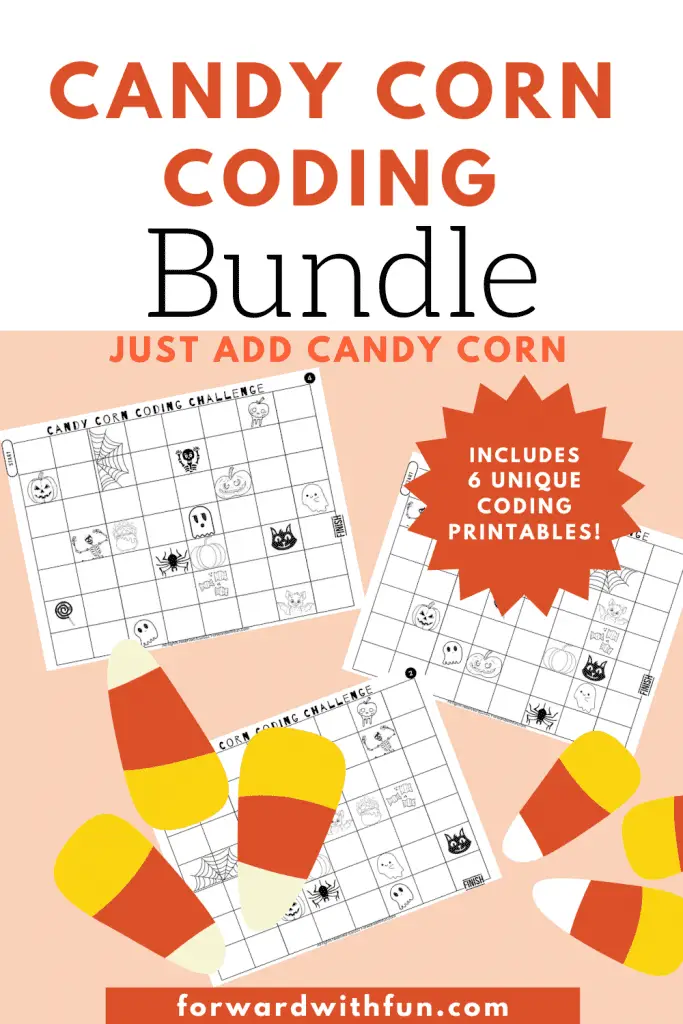
If you feel especially passionate about kids coding, or even just want to make an independent center out of this activity, I've made a bundle of 6 black and white coding printables for you.
Each printable has 2 or more solutions so you'll have 12 additional directional coding activities to do with your kindergartners, along with your freebie.
Grab the bundle of 6 kindergarten printable coding worksheets for only $1.50. If you're looking for just the FREEBIE, just keep scrolling! : )
Check out our post of simply delightful Halloween activities for your leftover candy corn. Please follow and tag @forwardwithfun on social media if you share this activity!